Website insights, inside WordPress
Find the WordPress problems worth fixing first.
WP Simple Audit checks the public pages you choose for performance, accessibility, best practices and SEO, then brings the findings and WordPress security checks into your dashboard.
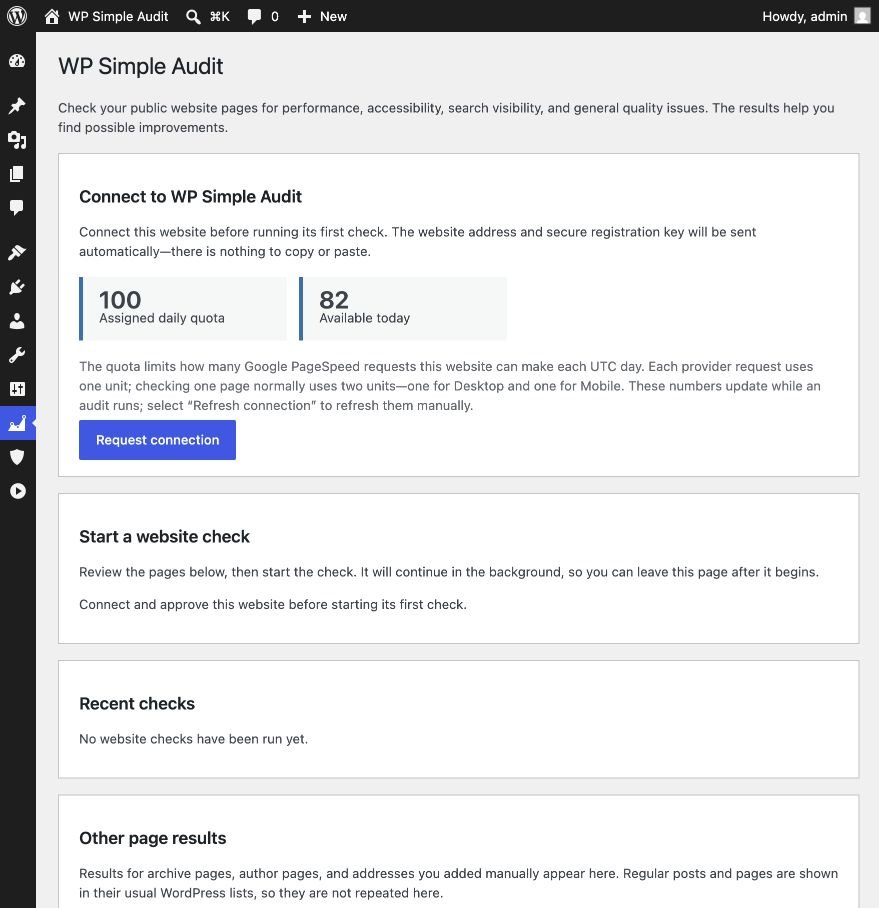
One audit. A clearer order for your next WordPress fixes.
WP Simple Audit brings page quality and WordPress security checks together, so you can spend less time collecting scores and more time acting on the findings that matter.
Find pages that need attention
Audit the pages you care about on desktop and mobile. See performance, accessibility, best practices and SEO scores without checking URLs one by one.
Know where to start
Open the findings behind each score, review the practical details and compare later audits to see whether your changes made a difference.
Spot security gaps sooner
Review common WordPress and hosting protections, along with known vulnerabilities in WordPress core, plugins and themes. See what passed and what still needs attention.
How it works
See what needs attention in three simple steps.
Choose the content that matters, run the audit and review your results without adding another dashboard to your workflow.
1
Connect your site
Connect WP Simple Audit to your WordPress site and keep the whole review process in the dashboard you already use.
2
Choose what to audit
Select posts, pages, the homepage, public archives and specific URLs from the same site. Review the complete scope before the audit begins.
3
Work through the results
Start with the pages and findings that need attention. Compare later checks to see whether the work made a difference.
Choose what to check, then see what needs attention.
WP Simple Audit shows exactly which content will be checked, then keeps the scores, key measurements and recommendations together in WordPress.
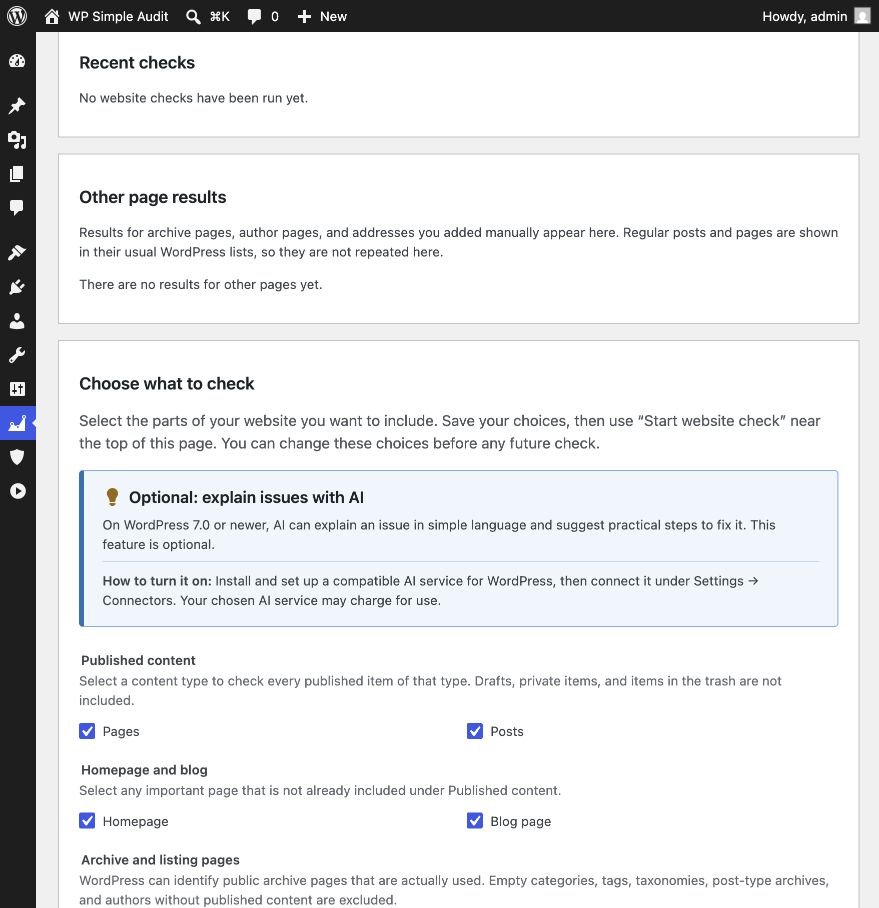
Your audit, your scope
Audit the public content that matters to your site.
- Include published pages and posts
- Add the homepage, posts page and active archives
- Include specific URLs from the same site when needed
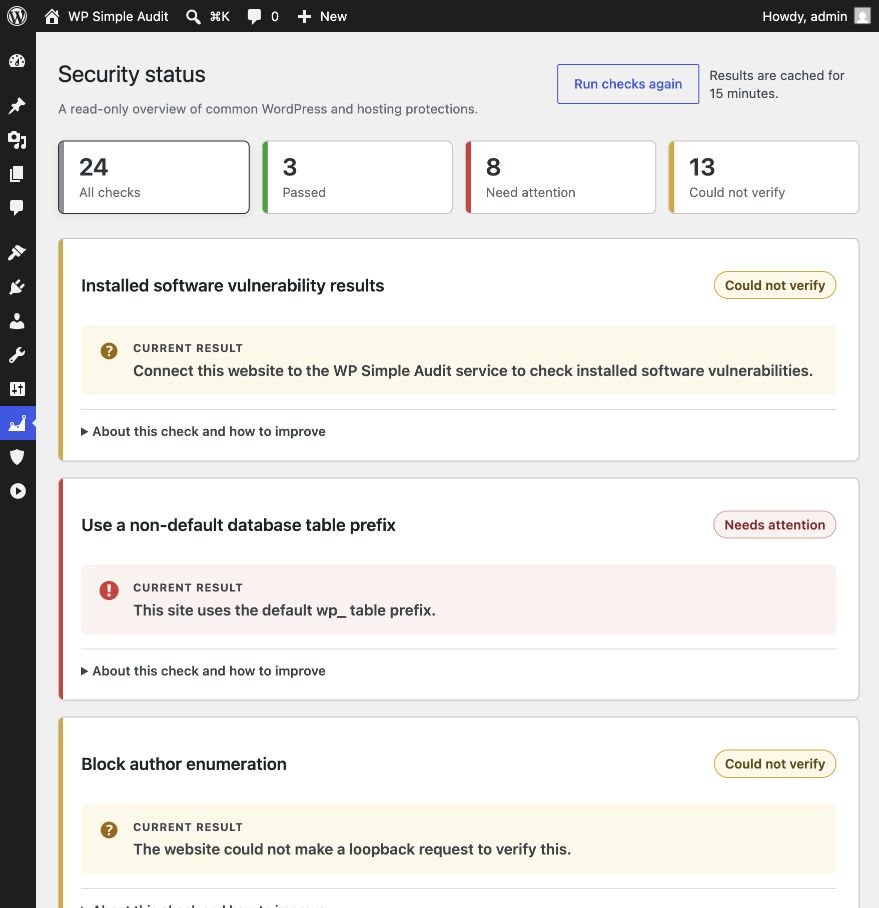
Security checks
See the gaps that are easy to overlook.
- See what passed and what needs review
- Find known vulnerabilities in installed software
- Get clear explanations and suggested next steps
Results where you work
See PageSpeed findings beside the content they belong to.
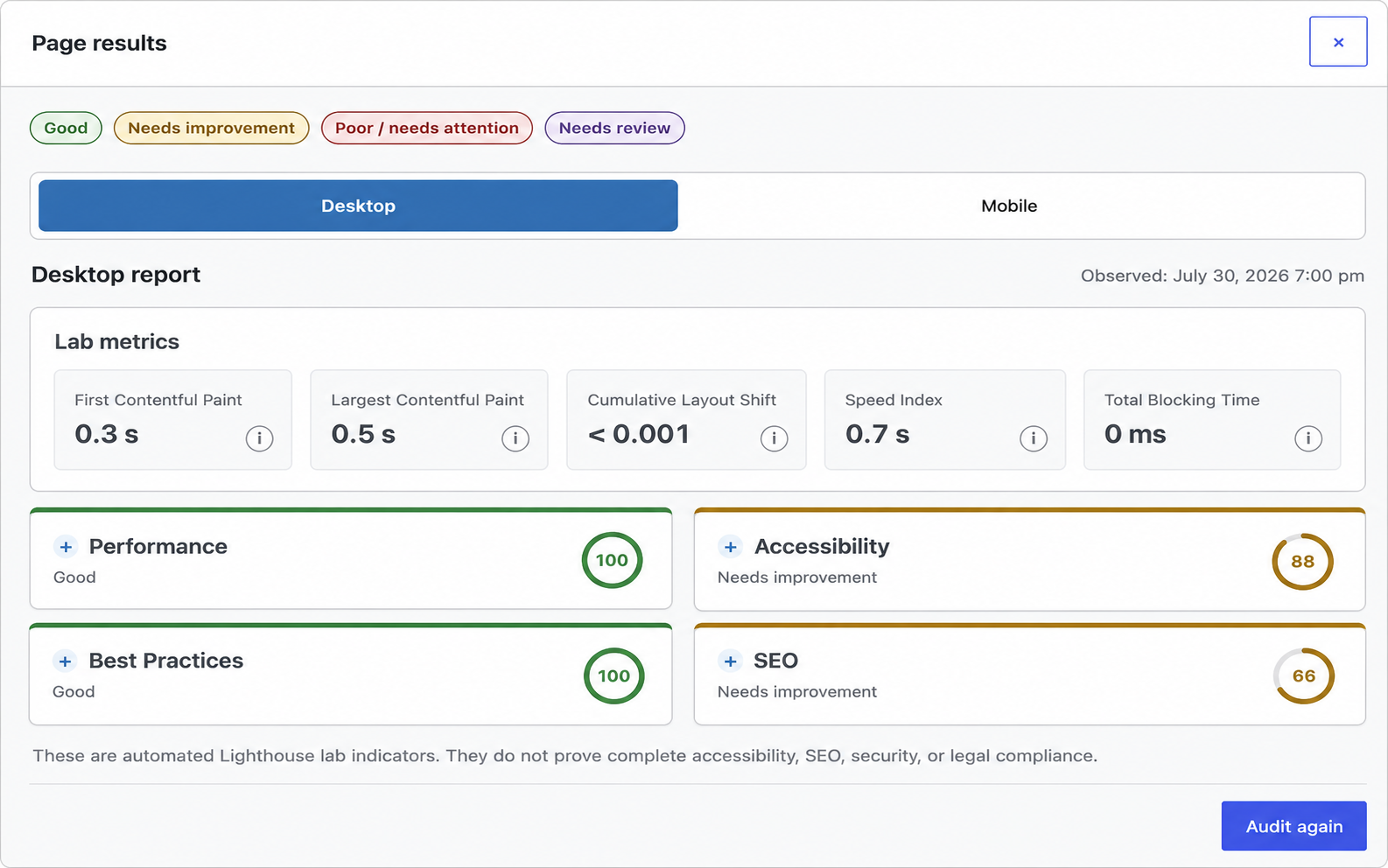
Desktop and mobile scores appear in the WordPress content list. Open a saved report when you need lab metrics, category scores and individual findings.
Find pages that need attention at a glance
Desktop and mobile averages sit beside each page. Expand a row to review every Lighthouse category without leaving the content list.
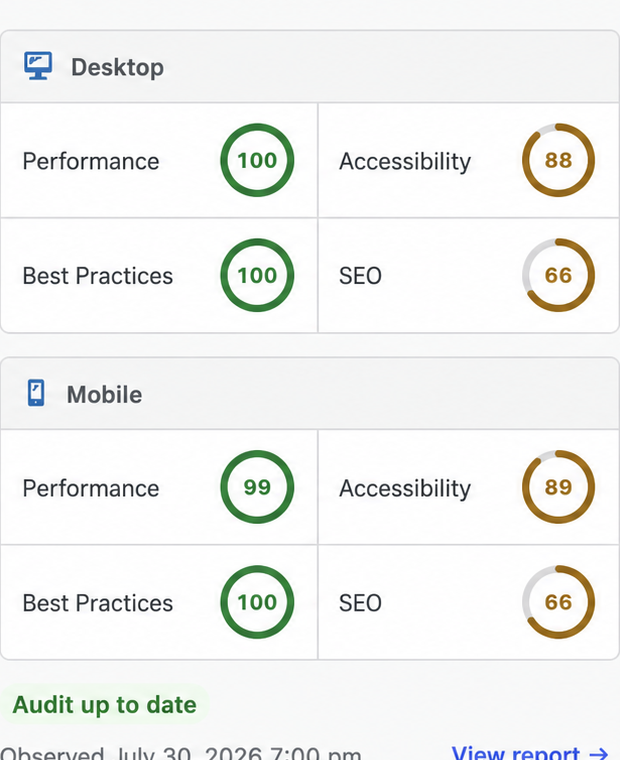
Turn a score into a clear next step
Check lab metrics, switch between desktop and mobile, and open each category to review the findings behind the score.
Built for real WordPress work
Spend less time gathering reports and more time improving your site.
WP Simple Audit keeps the pages, scores and findings together in WordPress, giving you a clear view of what needs attention without juggling separate tools.
- Check the pages that matter to your business
- Compare desktop and mobile results in one place
- See which issues are worth tackling first
- Run another audit to confirm your improvements
Questions before you get started
What WP Simple Audit checks, where the results appear and how to get help with the issues it finds.
What does WP Simple Audit check?
It checks the pages you choose for PageSpeed performance, accessibility, best practices and SEO signals. It also reviews common WordPress security settings and known vulnerabilities in WordPress core, plugins and themes.
Where will I see the results?
Results stay inside WordPress. Page scores appear beside your content, and the full report opens with desktop and mobile metrics, category scores and individual findings.
Which pages can I include in an audit?
You can select published posts and pages, the homepage, the posts page, public archives and specific URLs from the same website. The exact scope is shown before the audit starts.
Will the plugin change my website?
No. WP Simple Audit is read-only. It shows what passed, what needs attention and why, but it does not edit content, change settings or install fixes.
Can I check both desktop and mobile performance?
Yes. Each page report includes separate desktop and mobile results, so you can see where the experience differs and decide what needs attention first.
Can you help me fix the issues the audit finds?
Yes. If you would like help turning the audit findings into measurable website improvements, I offer hands-on WordPress support for performance optimisation, accessibility fixes, technical SEO and security hardening. We can review the results, prioritise the highest-impact work and implement the changes your site needs. Visit my website to discuss your WordPress project.
What happens after I request early access?
We will ask about your website and what you want to check. If the current release is a good fit, we will help you connect the site, choose the audit scope and run the first audit.
Get early access
Know which WordPress fix should come first.
Request early access and we will help you connect your site, choose the pages to check and run your first audit.
Early access is limited while we improve onboarding and support for new sites.